
GITHUB OSINT
The Ultimate Reconnaissance Methodology Guide


Table of Contents
Introduction: GitHub as an OSINT Goldmine
Methodology Framework
User & Organization Discovery
Repository Intelligence Gathering
Advanced Code Search Techniques
Metadata & Historical Analysis
Quick Investigation Commands
GitHub Account Creation Date Detection Methods
Automated Reconnaissance Tools
Legal & Ethical Considerations
Case Studies & Real-World Examples
Best Practices & Reporting
1. Introduction: GitHub as an OSINT Goldmine
GitHub has evolved beyond a simple code repository into a comprehensive digital footprint of organizations and individuals. For OSINT investigators, it represents an unparalleled source of intelligence containing:
Technical infrastructure details
Employee information and organizational structure
Development methodologies and technology stacks
Accidental exposures of sensitive data
Historical changes and project evolution
Collaboration networks and partnerships
The platform’s extensive API and search capabilities make it an essential component of modern digital investigations.
2. Methodology Framework
Systematic Reconnaissance Approach
Phase 1: Target Identification
Phase 2: User & Organization Profiling
Phase 3: Repository Enumeration
Phase 4: Code Analysis & Pattern Recognition
Phase 5: Metadata Collection
Phase 6: Correlation & Analysis
Phase 7: Reporting & Documentation
User & Organization Discovery
Individual User Intelligence
Basic Profile Information:
API Endpoint for User Data
Returns comprehensive profile including:
- Name, bio, location, company
- Public repositories count
- Followers/following networks
- Account creation date
- Social media links
- Hireable status
Examples:
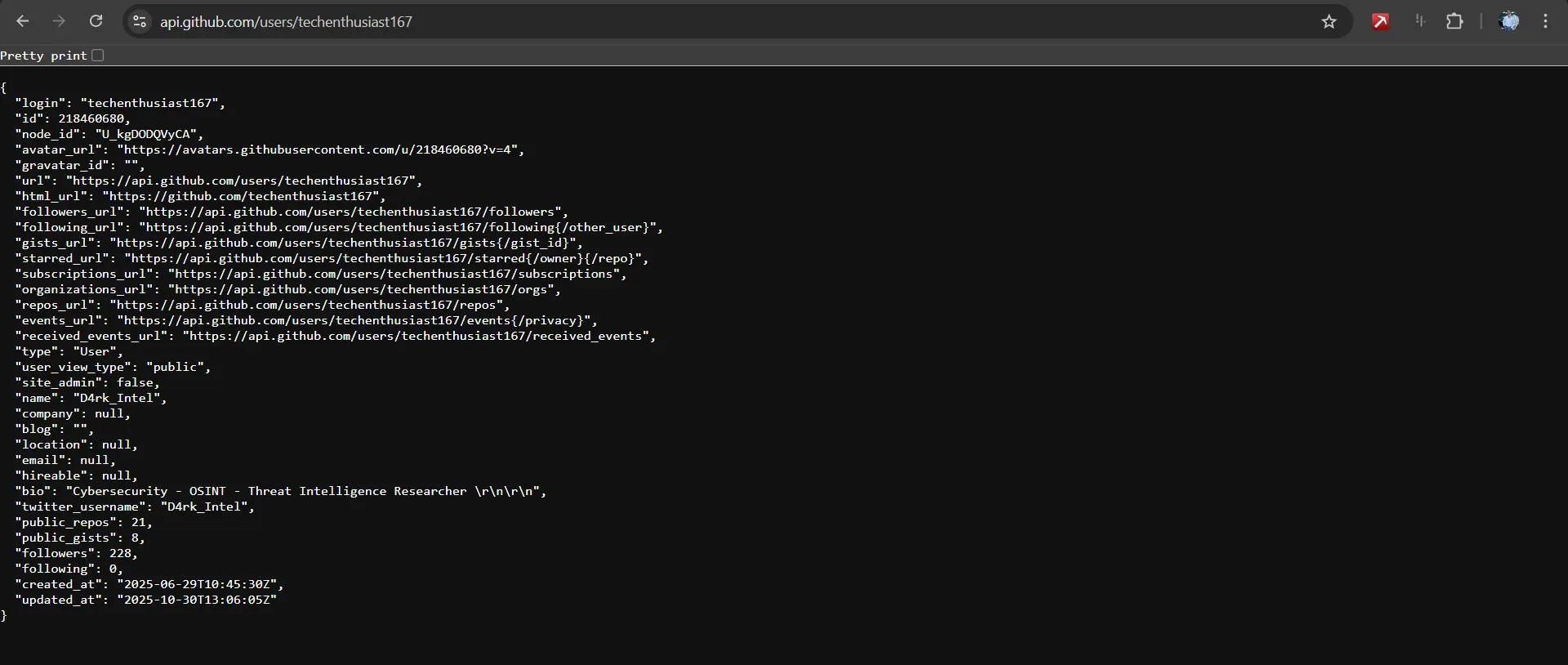
Enhanced User Investigation:
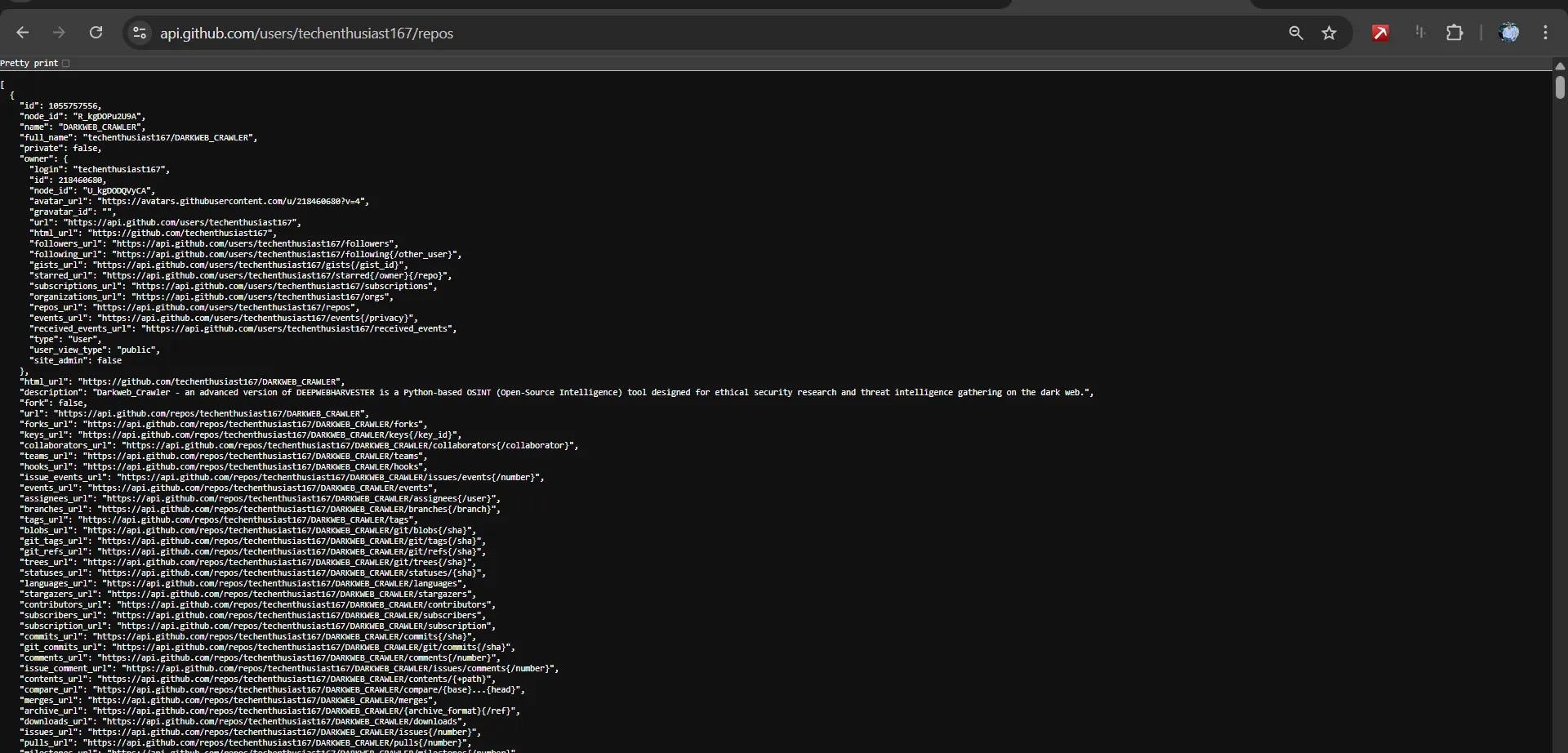
Repository enumeration:
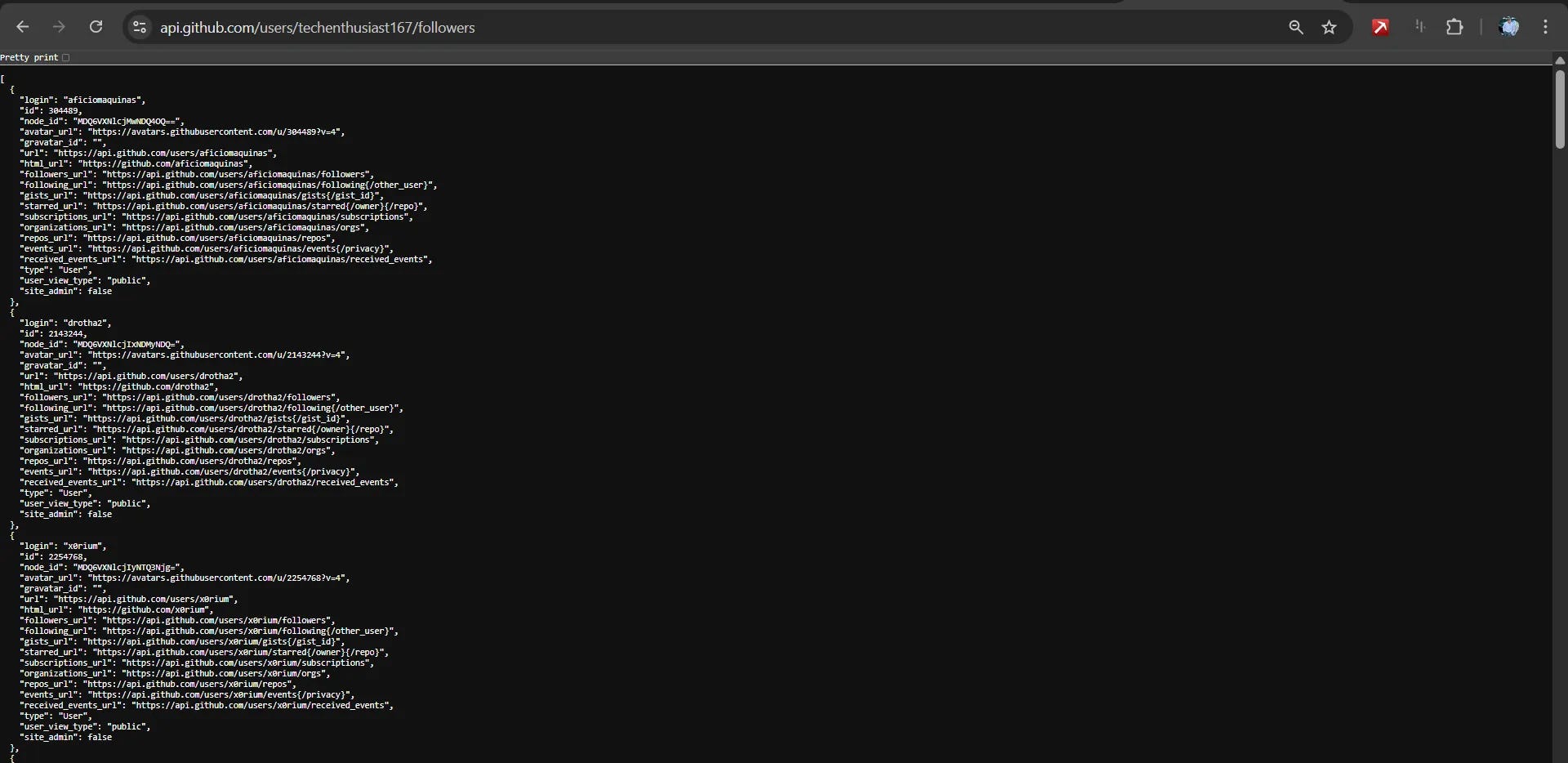
Social connections mapping:
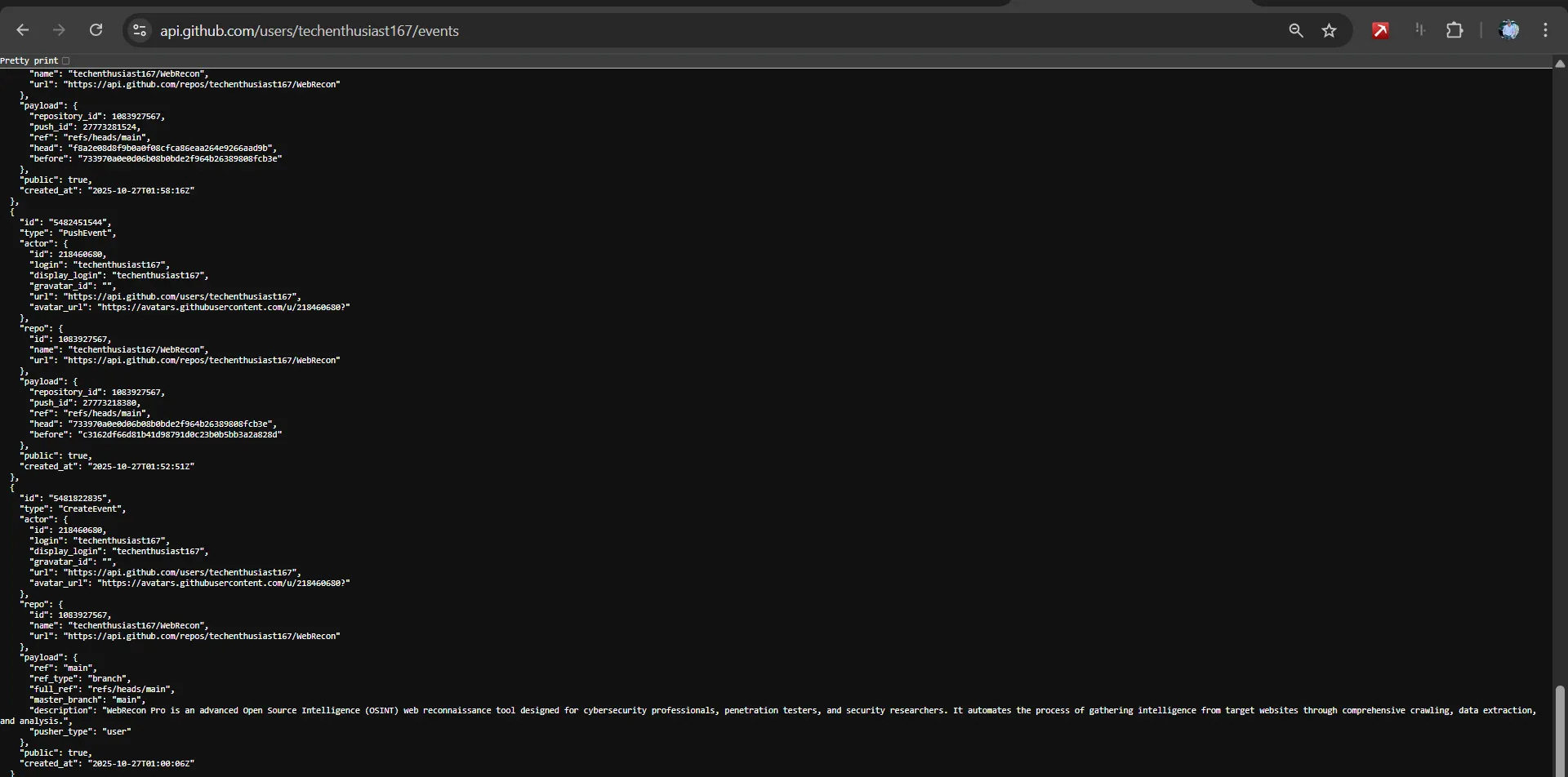
Activity timeline:
Gists investigation:
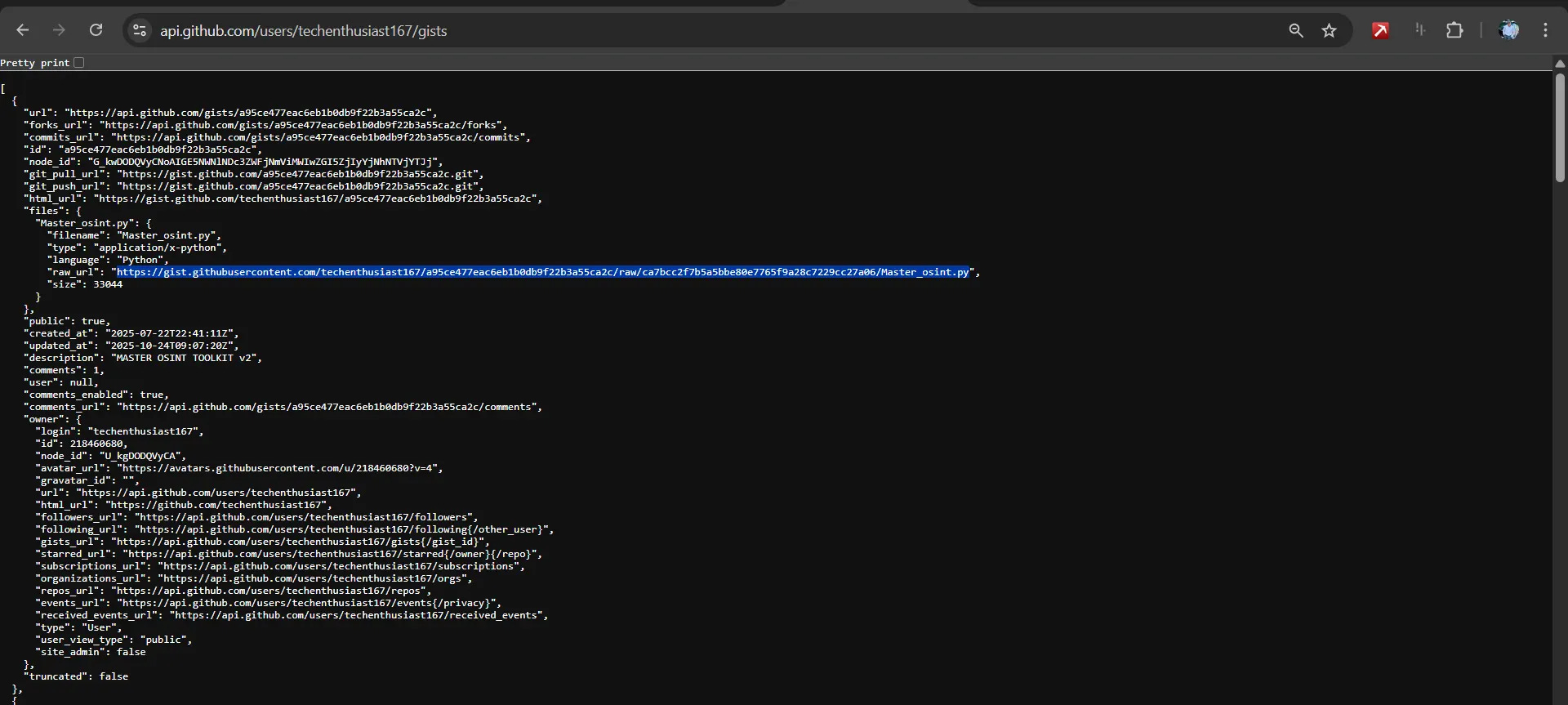
Organizational Intelligence Gathering
Company Structure Analysis:
Organization profile:
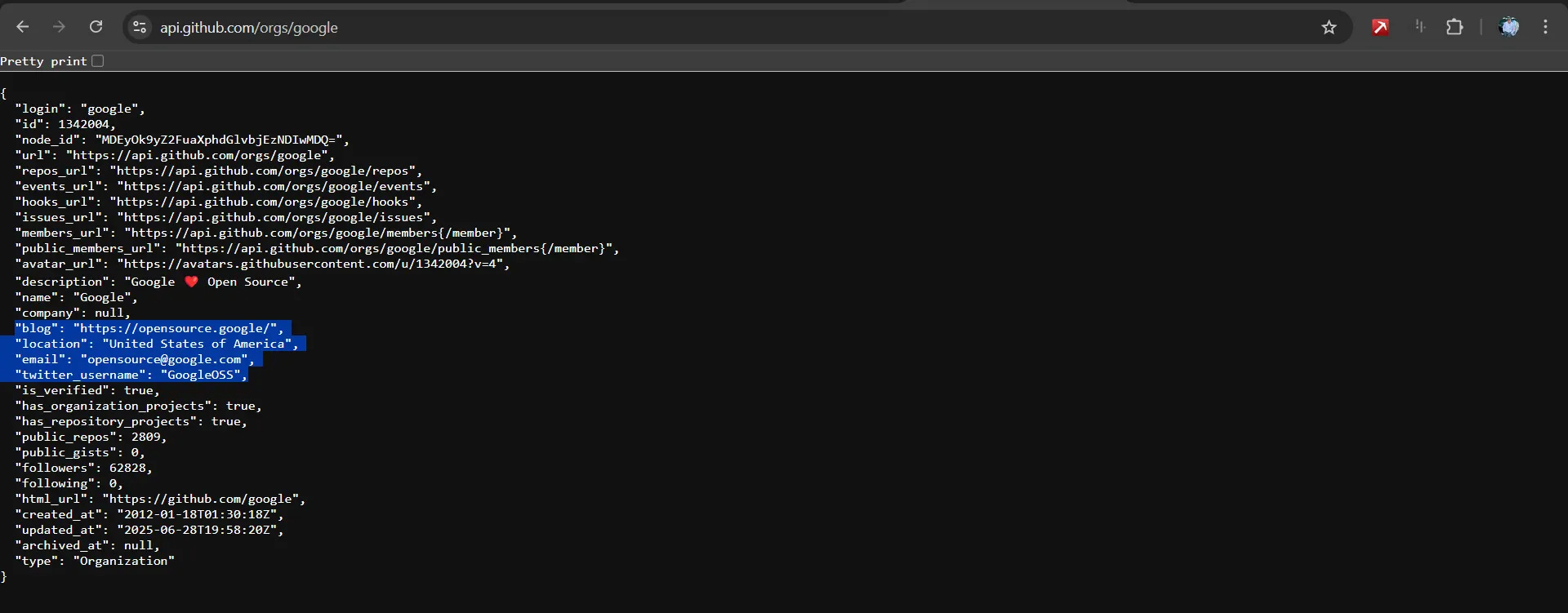
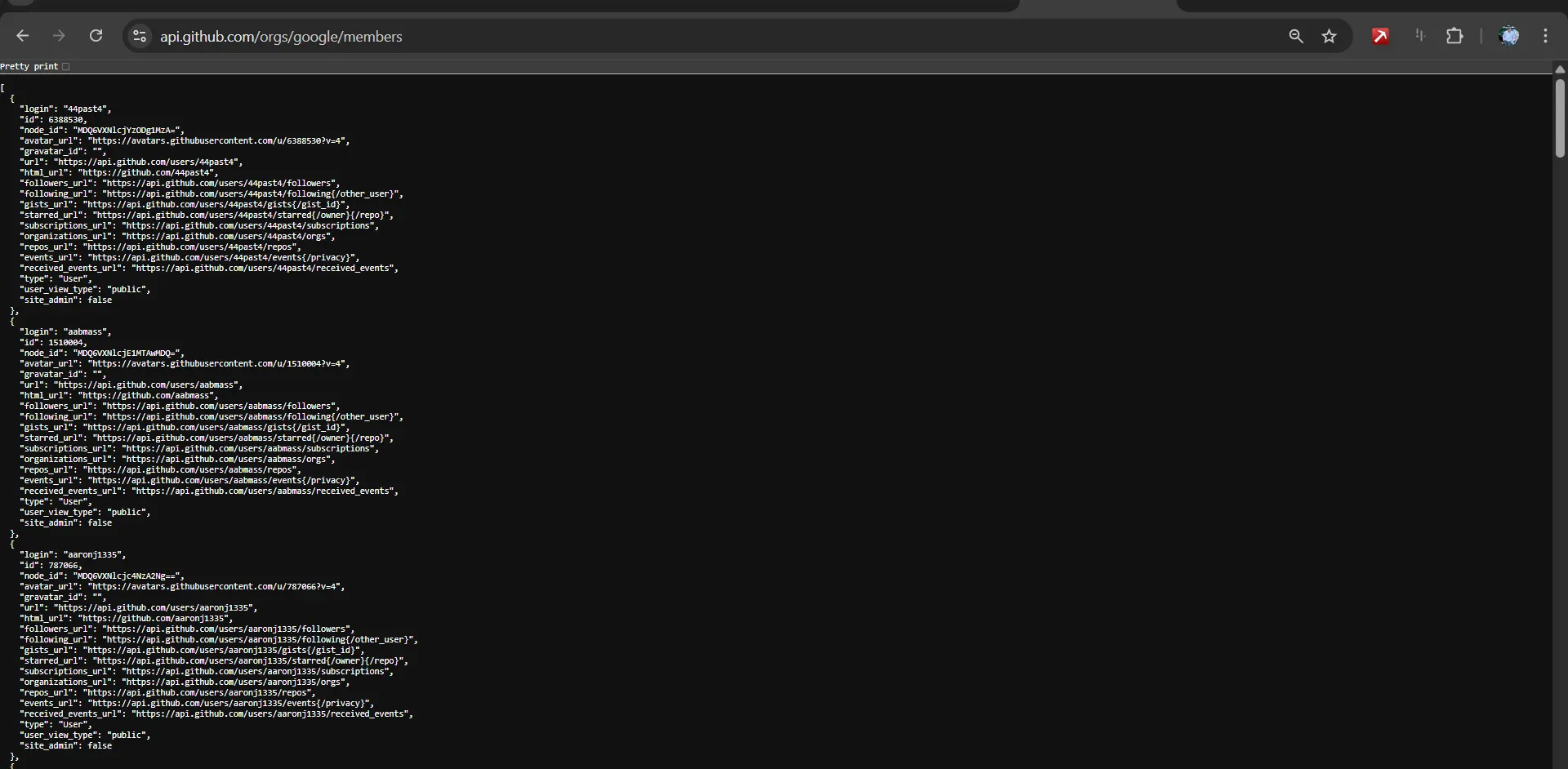
Team member enumeration:
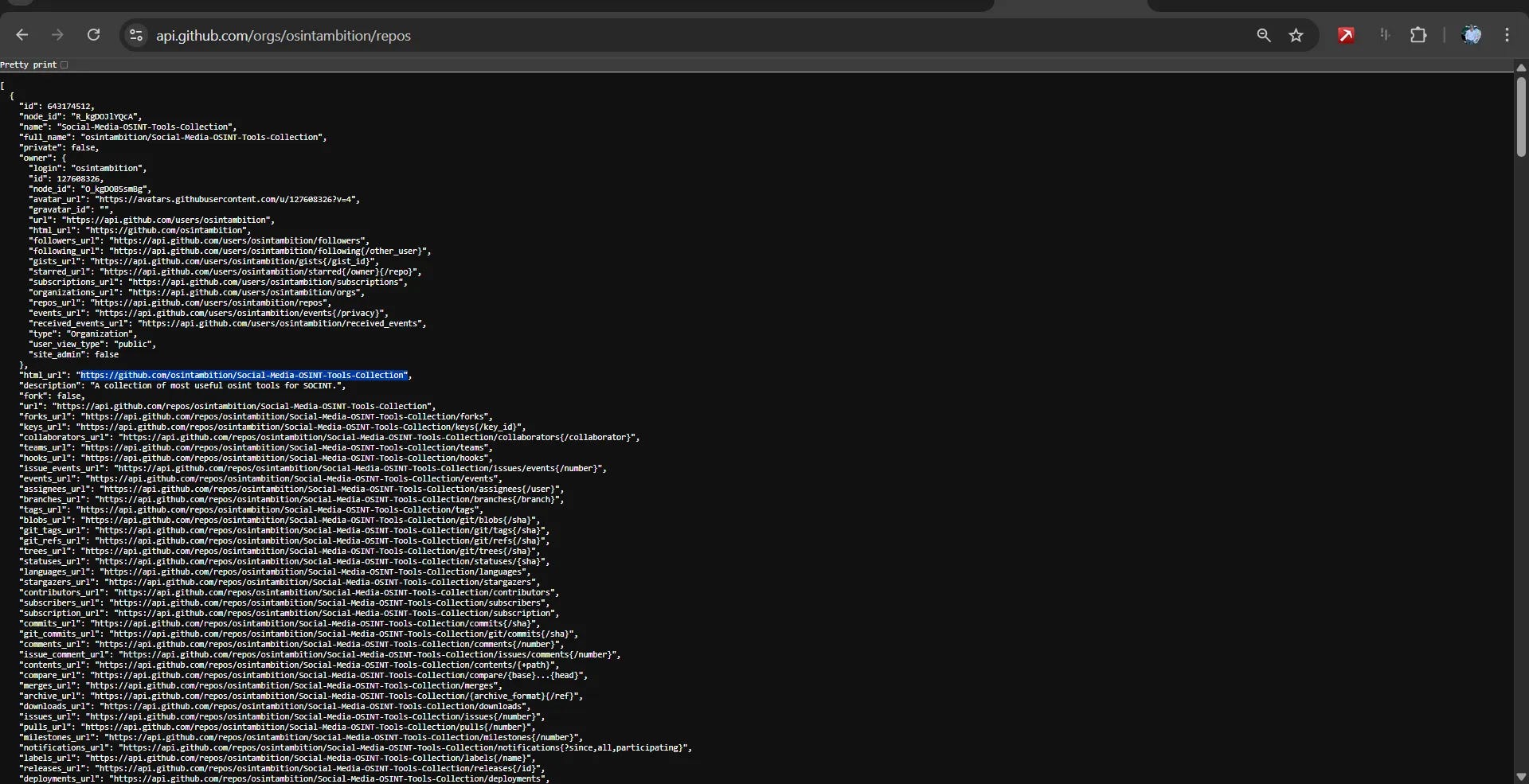
Repository portfolio:
Team structure:
> Requires authentication
Advanced Organizational Insights:
Employee count and roles through commit patterns
Development team structure and hierarchy
Technology stack preferences
Project management methodologies
External collaborations and partnerships
4. Repository Intelligence Gathering ”repository-intelligence”
Comprehensive Repository Analysis
Basic Repository Search:
Keyword-based repository discovery:
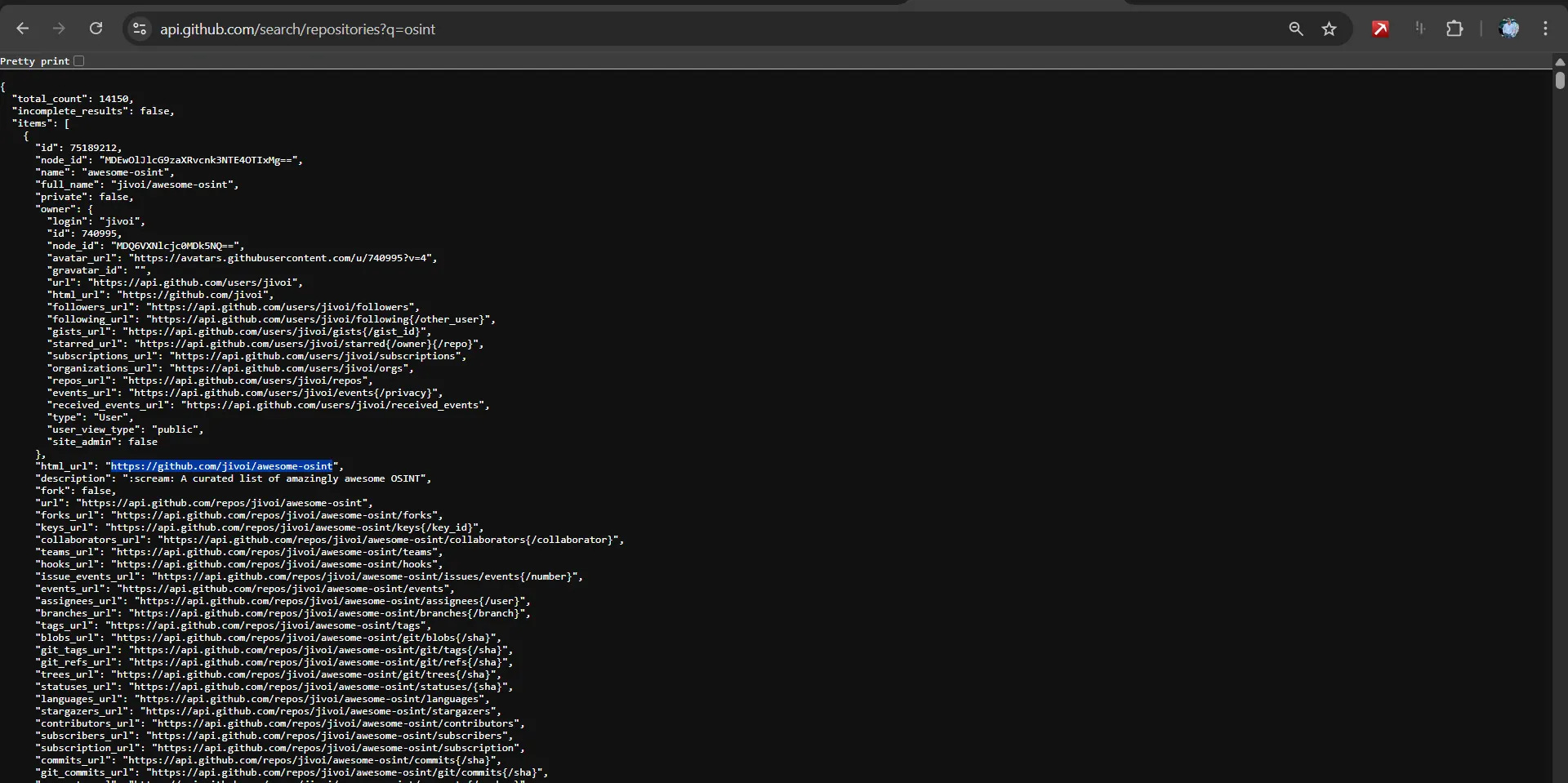
Returns critical information:
- Repository names and descriptions
- Primary programming languages
- Star and fork counts (popularity indicators)
- Last update timestamps
- License information
- Open issue counts
Repository Content Enumeration:
# Directory structure exploration:
https://api.github.com/repos/[owner]/[repo]/contents
Branch analysis:
https://api.github.com/repos/[owner]/[repo]/branches
Contributor identification:
https://api.github.com/repos/[owner]/[repo]/contributors
Release history:
https://api.github.com/repos/[owner]/[repo]/releasesDirectory structure exploration:
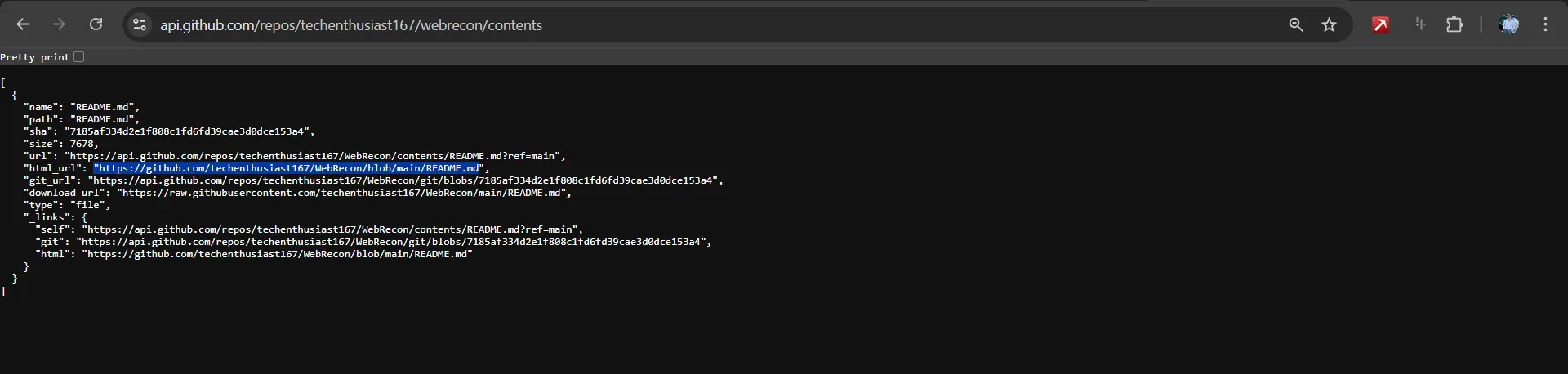
Critical Repository Elements to Examine
Configuration files (.env, config.json, settings.py)
Documentation (README.md, technical specifications)
CI/CD pipelines (.github/workflows, .gitlab-ci.yml)
Dependency files (package.json, requirements.txt)
Database schemas and migration scripts
API documentation and integration examples
5. Advanced Code Search Techniques
Precision Search Operators
Target-Specific Searching:
User/Organization targeting

user:[username] [search_term]
org:[orgname] [search_term]
repo:[owner/repo] [search_term]Example: Search for API keys in specific organization
org:targetcorp “api_key”user:d4rk_intel “webrecon”

File-Based Intelligence Gathering:
File extension filtering:

extension:env “DATABASE_URL”
extension:json “password”
extension:yml “secret”
extension:pem “PRIVATE KEY”
Filename pattern matching:
filename:.env.example
filename:config.xml
filename:docker-compose.yml
filename:travis.yml
Path-specific searching:
path:.github/workflows
path:src/config
path:databaseSensitive Data Discovery Patterns
Credentials & Authentication:
API keys and tokens:

“api_key”, “apikey”, “api-key”
“secret”, “password”, “token”, “auth”
“aws_access_key”, “aws_secret”
“ghp_”, “xoxb-”, “sk-”
Database connections:
“DATABASE_URL”, “DB_PASSWORD”
“MONGODB_URI”, “REDIS_URL
OAuth and social media:
“FACEBOOK_APP_SECRET”, “TWITTER_API_KEY”
“GOOGLE_CLIENT_SECRET”Infrastructure Exposure:
Cloud service configurations:

AWS Key pattern
“AKIA[0-9A-Z]{16}”

“herokuapp.com”
“firebaseio.com”
Internal network references:
“192.168.”, “10.”, “172.16.”
“internal”, “localhost”, “staging”6. Metadata & Historical Analysis ”metadata-analysis”
Commit History Investigation
Email Extraction & Attribution:
Extract commit emails from repositories:
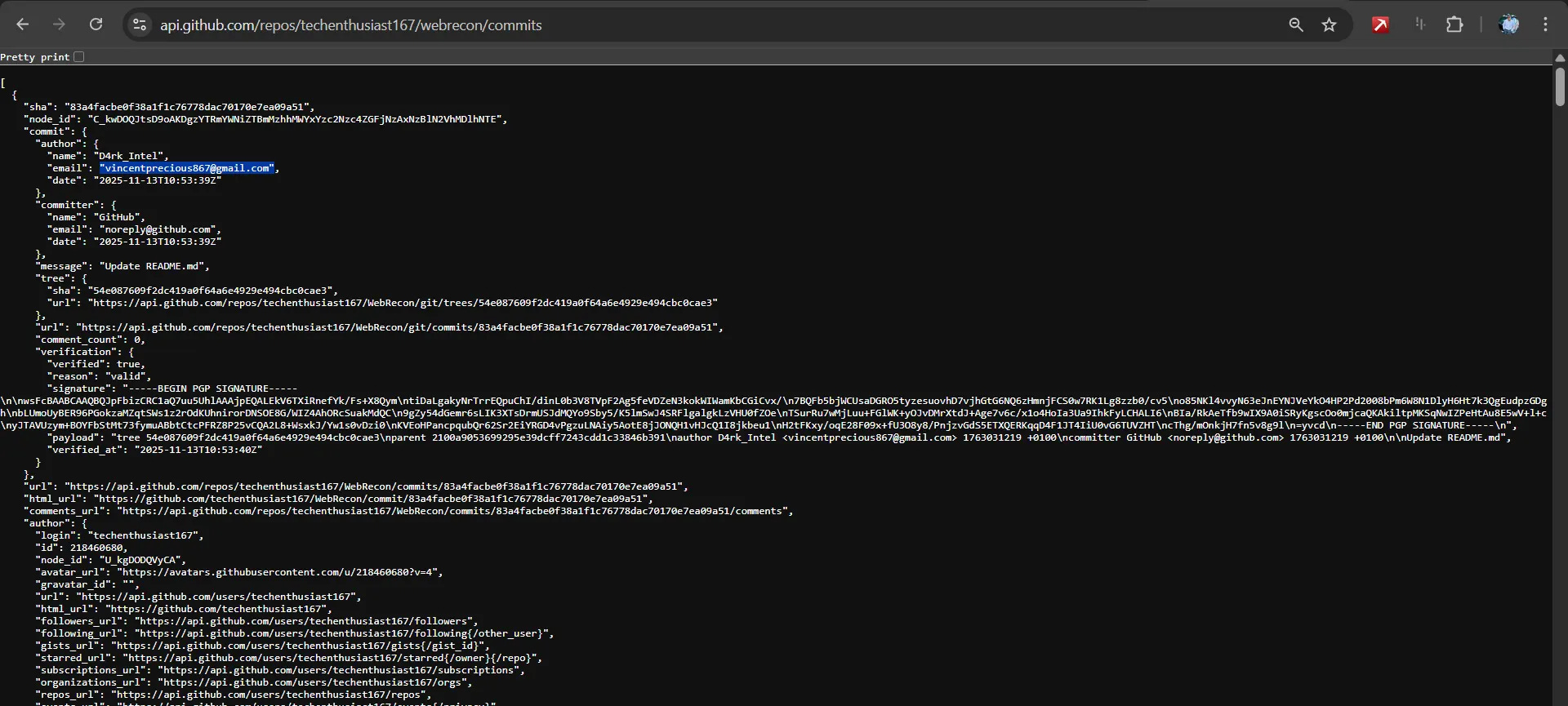
Advanced email intelligence platform:
https://ghintel.secrets.ninja/

Historical Pattern Analysis:
Development team working hours and patterns
Project milestone timelines
Code ownership and responsibility areas
Merge patterns and review processes
Branch & Fork Analysis
Fork Network Mapping:
Identify internal copies of external projects
Track code reuse across organizations
Discover unofficial mirrors and backups
Branch Strategy Insights:
Development workflow understanding
Feature development timelines
Release preparation patterns
7. Automated Reconnaissance Tools ”automated-tools”
Specialized GitHub OSINT Tools
Credential Scanning:
TruffleHog -h 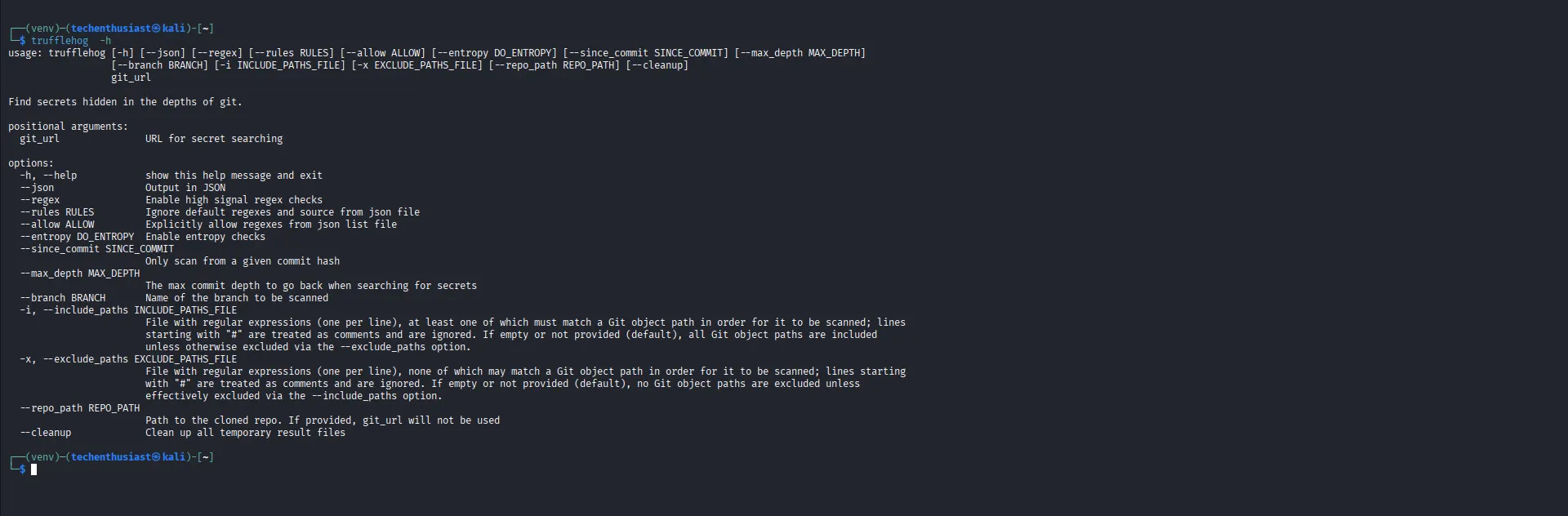
Gitleaks - Pattern-based detection:

gitleaks detect --source=/path/to/repo -v

GitRob - Comprehensive repository analysis:

gitrob target-organization
GitRecon -h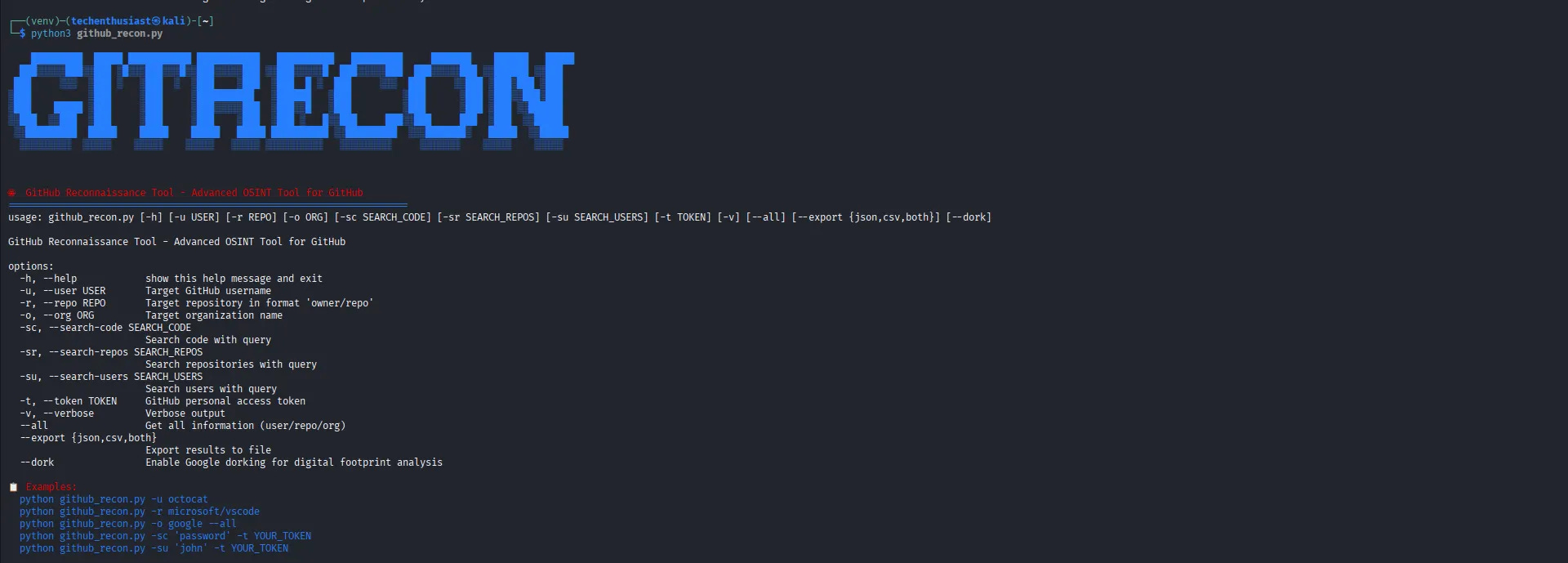
8. Quick Investigation Commands
1. Profile Recon:
curl -s "https://api.github.com/users/Techenthusiast167" | jq '. | {name, company, location, public_repos}'
2. Repository Scan:
trufflehog git https://github.com/Techenthusiast167 --json --verify > techenthusiast_scan.json
3. Code Search:
gh search code “filename:.env password” --owner=Techenthusiast1674. Network Analysisgh api users/Techenthusiast167/following | jq ‘.[].login’
Profile Recon

9. GitHub Account Creation Date Detection Methods
Method 1: Direct API Call (Primary Method)
API Endpoint
Example for our target:
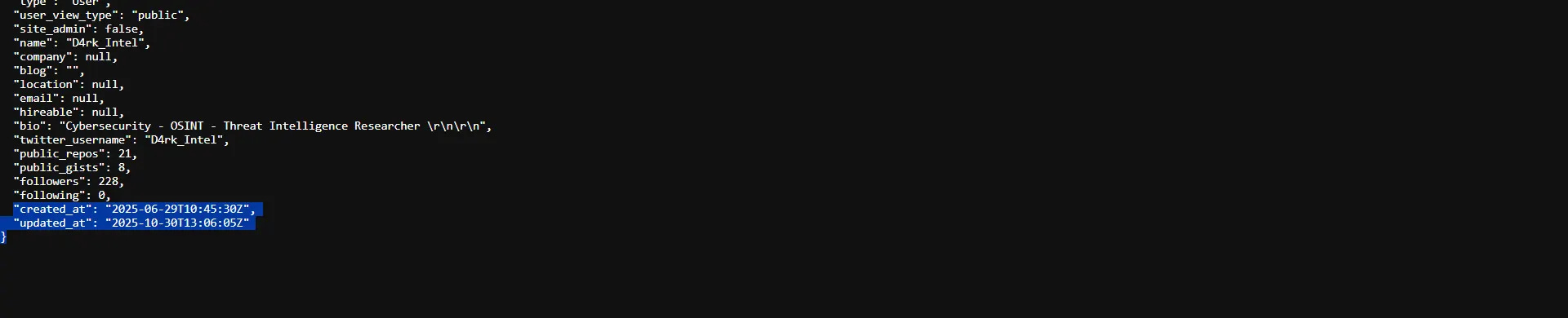
Response includes > JSON:
  “login”: “Techenthusiast167”,
  “id”: 123456789,
  “node_id”: “...”,
  “avatar_url”: “...”,
  “gravatar_id”: “”,
  “url”: “https://api.github.com/users/Techenthusiast167”,
  “html_url”: “https://github.com/Techenthusiast167”,
  “created_at”: “2020-05-15T10:30:00Z”,
  “updated_at”: “2024-01-20T08:45:00Z”
Method 2: Using GitHub CLI
Install GitHub CLI first

gh auth login
Get user info with creation date:gh api users/Techenthusiast167 | jq ‘.created_at’# Full user details
gh api users/Techenthusiast167 --jq ‘. | {username: .login, created_at: .created_at, public_repos: .public_repos}’Direct curl Equivalent
Basic User Info with Creation Date
Simple curl request

curl -s “https://api.github.com/users/Techenthusiast167”

Filter specific fields using jq

curl -s "https://api.github.com/users/Techenthusiast167" | jq '{username: .login, created_at: .created_at, public_repos: .public_repos}'

Or extract individual fields

curl -s "https://api.github.com/users/Techenthusiast167" | jq '.created_at'

curl -s "https://api.github.com/users/Techenthusiast167" | jq '.login'

curl -s "https://api.github.com/users/Techenthusiast167" | jq '.public_repos'
With Authentication (Higher Rate Limits)
Using personal access token

curl -H “Authorization: token ghp_your_token_here” \
  -s “https://api.github.com/users/Techenthusiast167” | jq ‘.created_at’
Or using GitHub CLI token (if installed)
curl -H “Authorization: token $(gh auth token)” \
-s “https://api.github.com/users/Techenthusiast167” | jq ‘.created_at’Complete curl Examples
Example 1: Get Account Creation Date Only
curl -s “https://api.github.com/users/Techenthusiast167” | jq -r ‘.created_at’
Example 2: Formatted Account Information
curl -s "https://api.github.com/users/Techenthusiast167" | \
jq -r '"Username: \(.login)\nCreated: \(.created_at)\nRepositories: \(.public_repos)\nFollowers: \(.followers)"'
Example 3: Calculate Account Age
Get creation date and calculate age in days
creation_date=$(curl -s "https://api.github.com/users/Techenthusiast167" | jq -r '.created_at')
account_age=$(( ($(date +%s) - $(date -d "$creation_date" +%s)) / 86400 ))
echo "Account age: $account_age days"

Example 4: Complete Profile Snapshot
curl -s “https://api.github.com/users/Techenthusiast167” | \
jq

  username: .login,
  name: .name,
  company: .company,
  location: .location,
  email: .email,
  blog: .blog,
  bio: .bio,
  account_created: .created_at,
  account_updated: .updated_at,
  public_repos: .public_repos,
  public_gists: .public_gists,
  followers: .followers,
  following: .following,
  hireable: .hireable
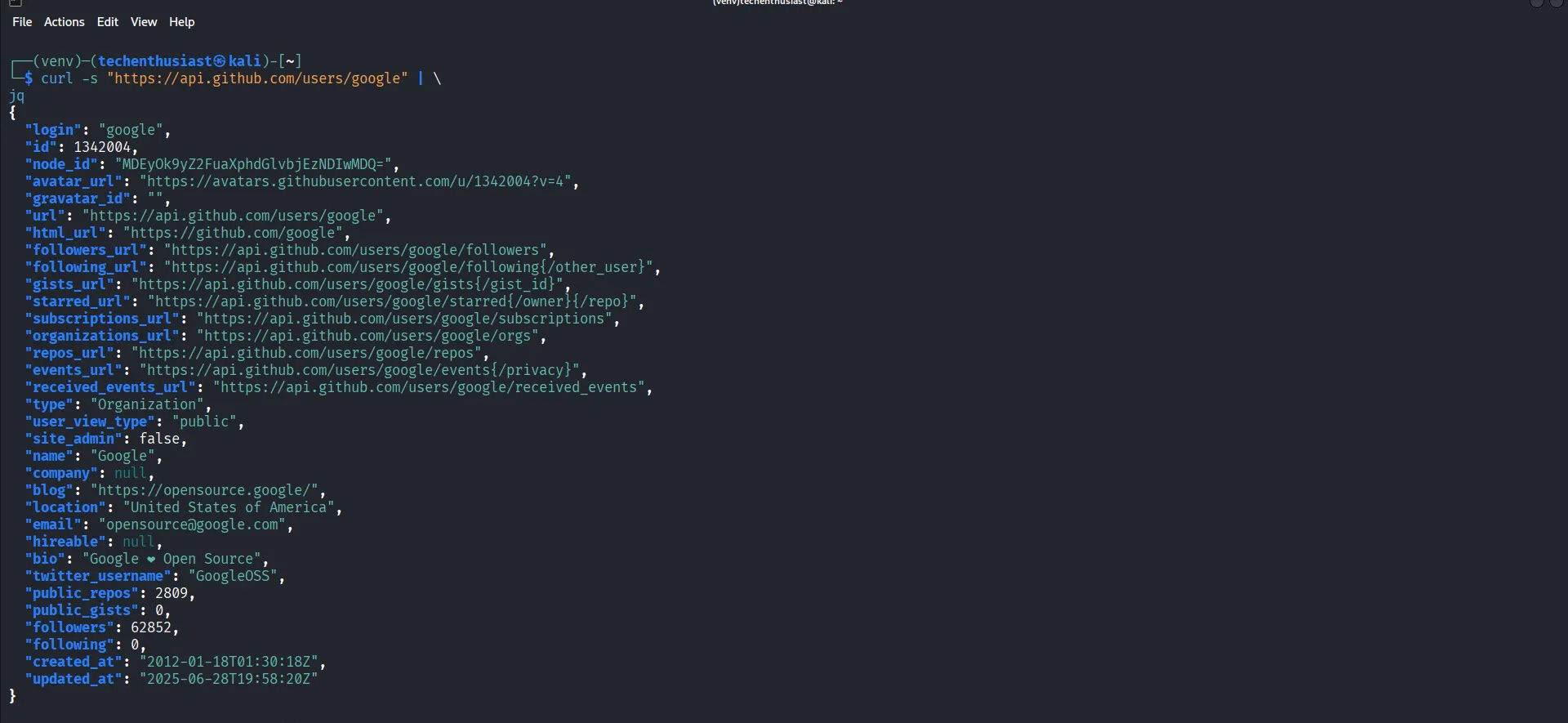
Batch Check Multiple Users
Check multiple accounts

usernames=(”Techenthusiast167” “octocat” “torvalds”)

for user in “${usernames[@]}”; do
    echo -n “$user: “
    curl -s “https://api.github.com/users/$user” | jq -r ‘.created_at’
    sleep 1  # Rate limit respect
done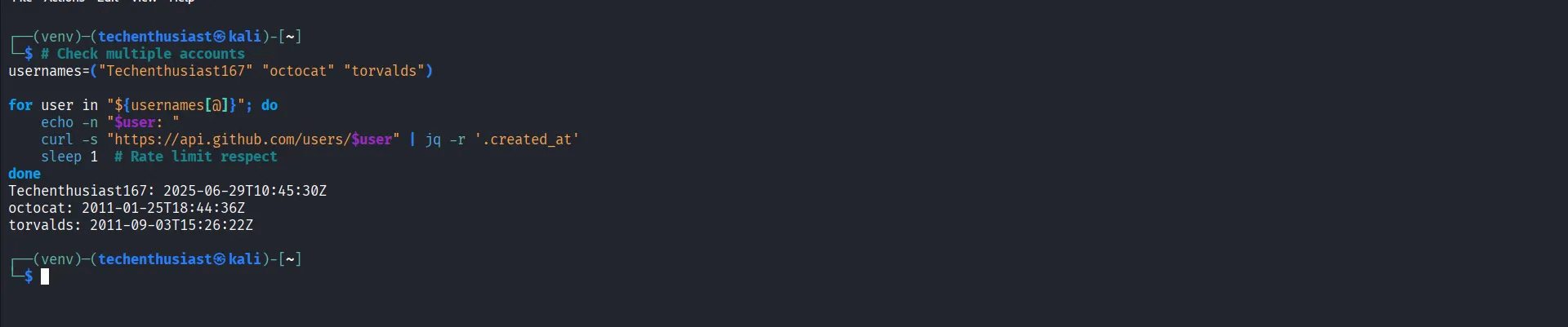
Save to File with Timestamp
Save complete profile with timestamp:
curl -s "https://api.github.com/users/Techenthusiast167" | \
jq --arg date "$(date -Iseconds)" '. + {investigation_date: $date}' > techenthusiast167_profile_$(date +%Y%m%d_%H%M%S).json
Quick One-Liners
Get just the creation date:
curl -s “https://api.github.com/users/Techenthusiast167” | jq -r ‘.created_at’Check if user exists and get creation date:
curl -s -o -w "%{http_code}" "https://api.github.com/users/Techenthusiast167" && curl -s "https://api.github.com/users/Techenthusiast167" | jq '.created_at'
The curl + jq combination is actually more universal than GitHub CLI since it works on any system with these basic tools installed, and doesn't require additional authentication for basic public profile lookups.
10. Legal & Ethical Consideration “Legal-ethical”
Compliance Framework
Authorization Requirements: Always ensure proper legal authority
Rate Limit Respect: Adhere to GitHub’s API usage policies
Data Handling: Secure storage and processing of collected information
Disclosure Protocols: Follow responsible disclosure for found vulnerabilities
Ethical Boundaries
Only access publicly available information
Respect organization privacy settings
Avoid disruptive scanning techniques
Maintain professional confidentiality
11. Case Studies & Real-World Examples ”case-studies”
Incident Response Scenarios
Case Study 1: Accidental Credential Exposure
Developer commits AWS keys to public repository
OSINT investigation identifies exposure within 2 hours
Rapid response prevents cloud infrastructure compromise
Case Study 2: Insider Threat Identification
Unauthorized code copying detected through fork analysis
Employee departure risk assessment via commit pattern changes
Proactive measures implemented based on intelligence
12. Best Practices & Reporting “practices”
Investigation Documentation
Standardized Reporting Format:
Executive summary of findings
Detailed technical evidence
Risk assessment and impact analysis
Recommended mitigation strategies
Supporting artifacts and references
Professional Standards
Maintain thorough investigation notes
Validate findings through multiple sources
Correlate GitHub intelligence with other OSINT data
Present findings in clear, actionable formats
This guide represents professional standards for GitHub OSINT investigations. Always operate within legal boundaries and respect platform terms of service while conducting reconnaissance activities.
Hi! I’m Lily, and I’m writing a substack about safety and security, it sounds abit boring but I promise it’s not.. Would love you to read/like/share my latest article 👇
https://substack.com/@blackwidowsecurity/note/p-193491888?r=80mhgh&utm_medium=ios&utm_source=notes-share-action
Github is such a mess. With all the apis, no wonder bot traffic is wild. bot traffic in general is wild. I moved from github for a lot of reason.